Find and round up every photo, by face
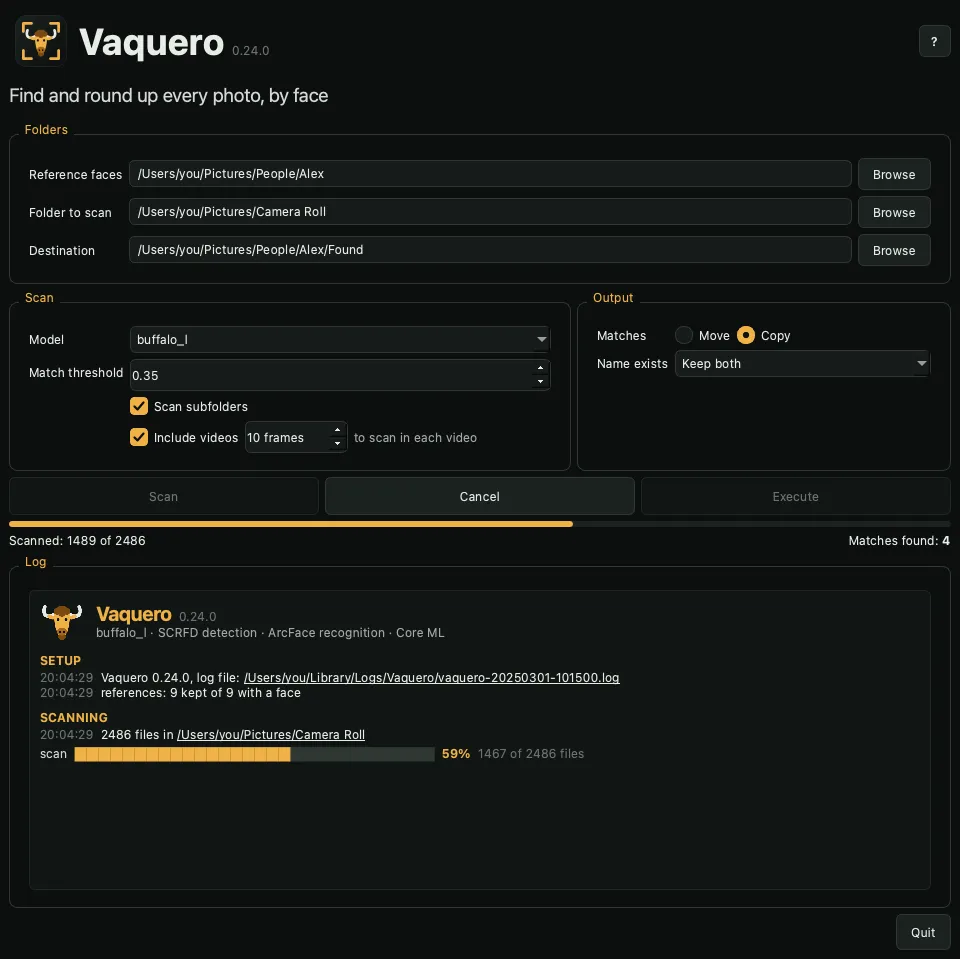
Point Vaquero at a few photos of someone. It finds every photo and video of them, then copies or moves them where you want. It runs on your Mac, and nothing leaves it.

What it's for
- A folder per person: every photo of a family member, a friend or yourself, out of years of backups
- One person from a shared dump: an event, a trip or a group chat export
- Albums and slideshows: every photo of one person
- Clean-up: move someone's photos out of a mixed folder, or copy them and leave the originals
How it works
- Pick three to five photos of the person. Group photos are fine.
- Pick a folder to scan, and where the matches go.
- Click Scan. Every photo and video is checked; nothing moves yet.
- Check the matches, then Copy or Move them.
Features
- Private
- Face detection and recognition run on your Mac. No photo, face or log leaves it.
- No training
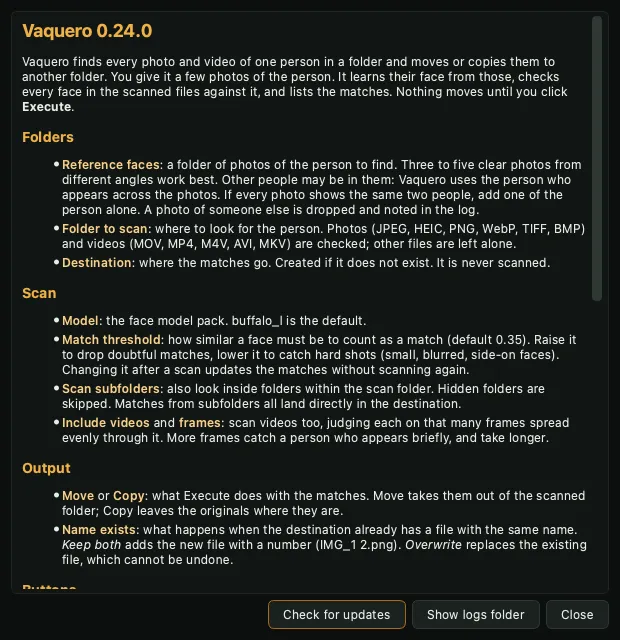
- A few photos of the person are enough. Photos of someone else are spotted and left out.
- Photos and videos
- JPEG, HEIC, PNG and more. Videos are checked on evenly spaced frames.
- Folders and network shares
- Subfolders on request; hidden folders and the destination are skipped.
- You decide
- Matches are listed first. Borderline ones are marked for review, and the threshold updates them without a rescan.
- Undo
- Every copy and move is journaled. Keep both or overwrite when a name is taken.
- Apple Silicon native
- The face models run on the Neural Engine and GPU through Core ML.
- Signed and notarized
- Opens like any Mac app, and updates itself from inside.
Screenshots